






A storyboard in panels
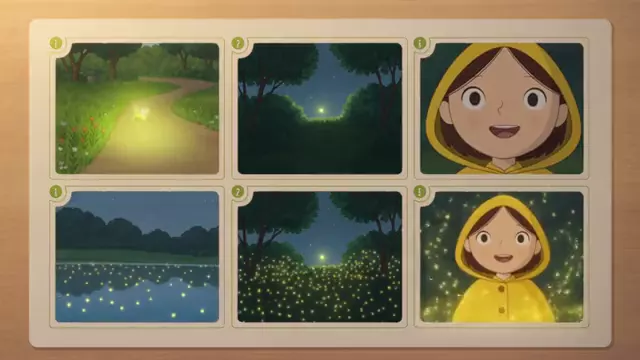
The Storyboard App lays out your story in 6 numbered panels in one 16:9 image.
 Social mediaYouTube, TikTok, Reels and Instagram9
 Marketing & adsProducts, ads and brand14
 Business by sectorRestaurants, beauty, real estate…64
 OccasionsBirthdays, weddings, quinceañeras…51
 Film & videoScenes, shots and storyboards10
 Edit videoWeather, light, background, style · Beta8
 Design & photoEdit, retouch and expand18
 Voice & audioVoice-overs, radio spots, stories3
 TrendingViral effects with your photo or video5
FILM · PREVISUALISATION
Tell the story and see it: panels, scenes, the visual direction and a few moving shots to pitch the idea.
Open these Apps in the StudioExplore for free. Create with an account and credits.
WHAT YOU CAN MAKE
The Storyboard App lays out your story in 6 numbered panels in one 16:9 image.
9 cinematic scenes, Mood board and Angle contact sheet help you decide tone, characters and framing.
Multi-shot video and Direct a shot generate clips to test pacing and camera work.
APPS
Each App page explains what you upload, what you fill in and which model it uses.
StoryboardYour story in 6 numbered panels.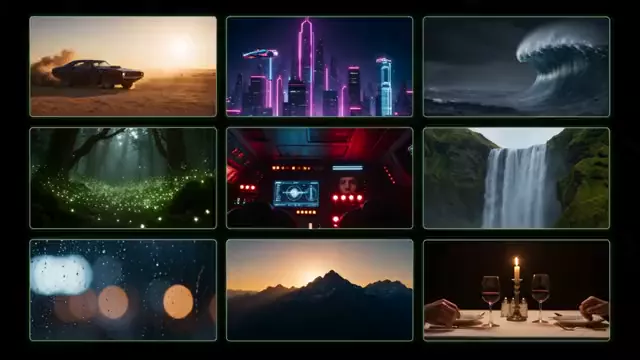 9 cinematic scenesA visual brainstorm for your story.
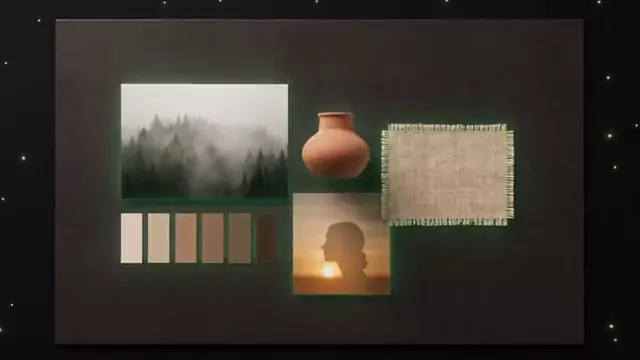 Mood boardThe visual direction for your project.
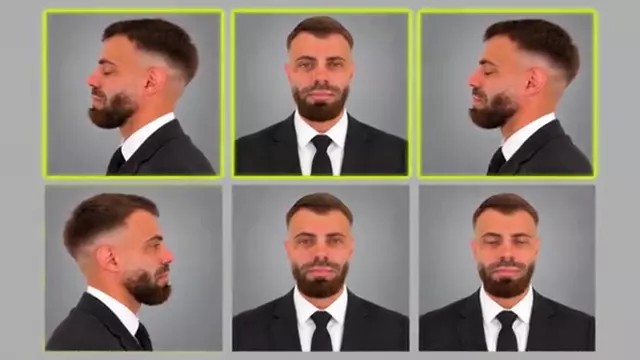 Angle contact sheetOne image with nine views of the subject.Multi-shot videoOne scene with several shots.
 Direct a shotDescribe the scene and camera movement.
 SlideA slide ready to present.
HOW IT WORKS
Each App below is one task with its own short form. Opening it does not generate or charge anything.
Describe what you want and, when the App asks, upload your photo, video or reference. Use only material you have rights to.
The Studio shows the credits before creating. Nothing starts until you press Generate. View and download the result in this App.
Each App uses the first available model on its list and shows it to you before generating.
CREATE AT YOUR PACE
Buy a top-up or choose an optional plan. Check the cost of each creation before you confirm.
Yes, as visual support. The Slide App also prepares a slide ready to present.
Models try to keep them consistent within one image. Across separate generations, upload references to help.
Download each image or clip from Creations and use it in your document or editor.
Exploring the Studio and opening the Apps is free. Generating requires a verified account and credits; Free includes no credits, but you can buy a top-up without a subscription. The cost is shown before you press Generate.
Change the weatherBeta Change the time of dayBeta
 Change the lightingBeta
 Change the video backgroundBeta
 Restyle a videoBeta