






Instagram image size
Portrait post: 1080 × 1350 · Square post: 1080 × 1080
 Social mediaYouTube, TikTok, Reels and Instagram9
 Marketing & adsProducts, ads and brand14
 Business by sectorRestaurants, beauty, real estate…64
 OccasionsBirthdays, weddings, quinceañeras…51
 Film & videoScenes, shots and storyboards10
 Edit videoWeather, light, background, style · Beta8
 Design & photoEdit, retouch and expand18
 Voice & audioVoice-overs, radio spots, stories3
 TrendingViral effects with your photo or video5
GUIDE · PHOTOS AND IMAGES
Usual sizes, reviewed in September 2026: Instagram, 1080 × 1350 px (4:5) in the feed and 1080 × 1920 for Stories and Reels; TikTok, 1080 × 1920 (9:16); YouTube, 1280 × 720 for thumbnails; Facebook, 1200 × 630 for posts. To fit your photo, open Resize image, choose “Social media” and the preset size.
Open Resize imageFree with an account, no subscription or watermark. Your files never leave your device.
Last reviewed: . These are usual sizes: we could not open the networks’ official help centres from our automated review.
STEP BY STEP
Under “How to resize”, choose “Social media” and, under “Preset size”, the network and use: Instagram 4:5 portrait, Story, YouTube thumbnail, Facebook cover…
If your photo has another shape, “Crop edges” fills the format and “Fit with background” keeps it whole on a colour.
Press “Resize image” and download each photo or all of them in a ZIP, up to 10 at once.
Crop image lets you move the crop by hand with ratios such as 1:1, 4:5 or 9:16.
SIZES BY NETWORK
Each page has every size for its network and the Resize image tool with the size already selected.
Portrait post: 1080 × 1350 · Square post: 1080 × 1080
Video, photos and cover: 1080 × 1920 · Profile photo (minimum): 200 × 200
Video thumbnail: 1280 × 720 · Channel banner: 2560 × 1440
Cover photo (page or profile): 851 × 315 · Post (image or link): 1200 × 630
Profile header: 1500 × 500 · Post image: 1600 × 900
Profile background: 1584 × 396 · Post image: 1200 × 627
Status: 1080 × 1920 · Profile photo (shown as a circle): 500 × 500
Portrait pin: 1000 × 1500 · Square pin: 1000 × 1000
TOOLS IN THIS GUIDE
Pixels, percent or social media sizes.
Free tool · on your device
Free crop or 1:1, 4:5, 9:16, 16:9 and 3:2.
Free tool · on your device
Make JPG, PNG and WebP files smaller.
Free tool · on your device
TIPS
In Stories and Reels, keep about 250 px clear at the top and bottom: that is where the name and buttons go.
YouTube banner: 2560 × 1440, but every device only shows the central strip (about 1546 × 423 px): put your name and logo there.
Networks change their sizes without notice: these are the usual ones, reviewed in September 2026 without being able to open the official help centres from our automated review; confirm them there before a campaign.
Instagram: 1080 × 1350 (4:5 portrait), 1080 × 1080 (square) and 1080 × 1920 (Stories and Reels). TikTok: 1080 × 1920. YouTube: thumbnail 1280 × 720 and banner 2560 × 1440. Facebook: cover 851 × 315 and post 1200 × 630.
X: header 1500 × 500 and post 1600 × 900. LinkedIn: background 1584 × 396 and post 1200 × 627. WhatsApp: status 1080 × 1920 and profile 500 × 500. Pinterest: portrait pin 1000 × 1500 (2:3).
Making a photo smaller keeps it sharp; making it bigger adds no detail. Always start from the largest original you have and, if it is heavy, shrink it with Compress image.
Yes. The free tools in this guide run in your browser and add no watermark. Tools that create files share the 30 welcome uses of your free account, then cost 1 credit per use; tools that show the result on screen have no usage cap. You can try them before signing up; to download the result or keep using them we ask for a free account, with no subscription.
Change the weatherBeta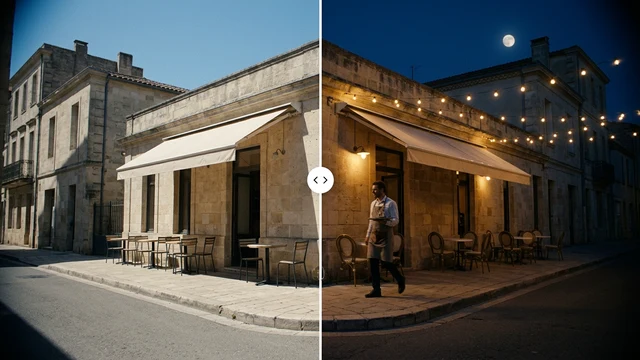 Change the time of dayBeta
 Change the lightingBeta
 Change the video backgroundBeta
 Restyle a videoBeta